API keys
Create a key to call the API from your own app — you see it once, so copy it right away.
An API key lets your own code verify addresses and manage lists. Every request sends the key in the X-API-Key header.
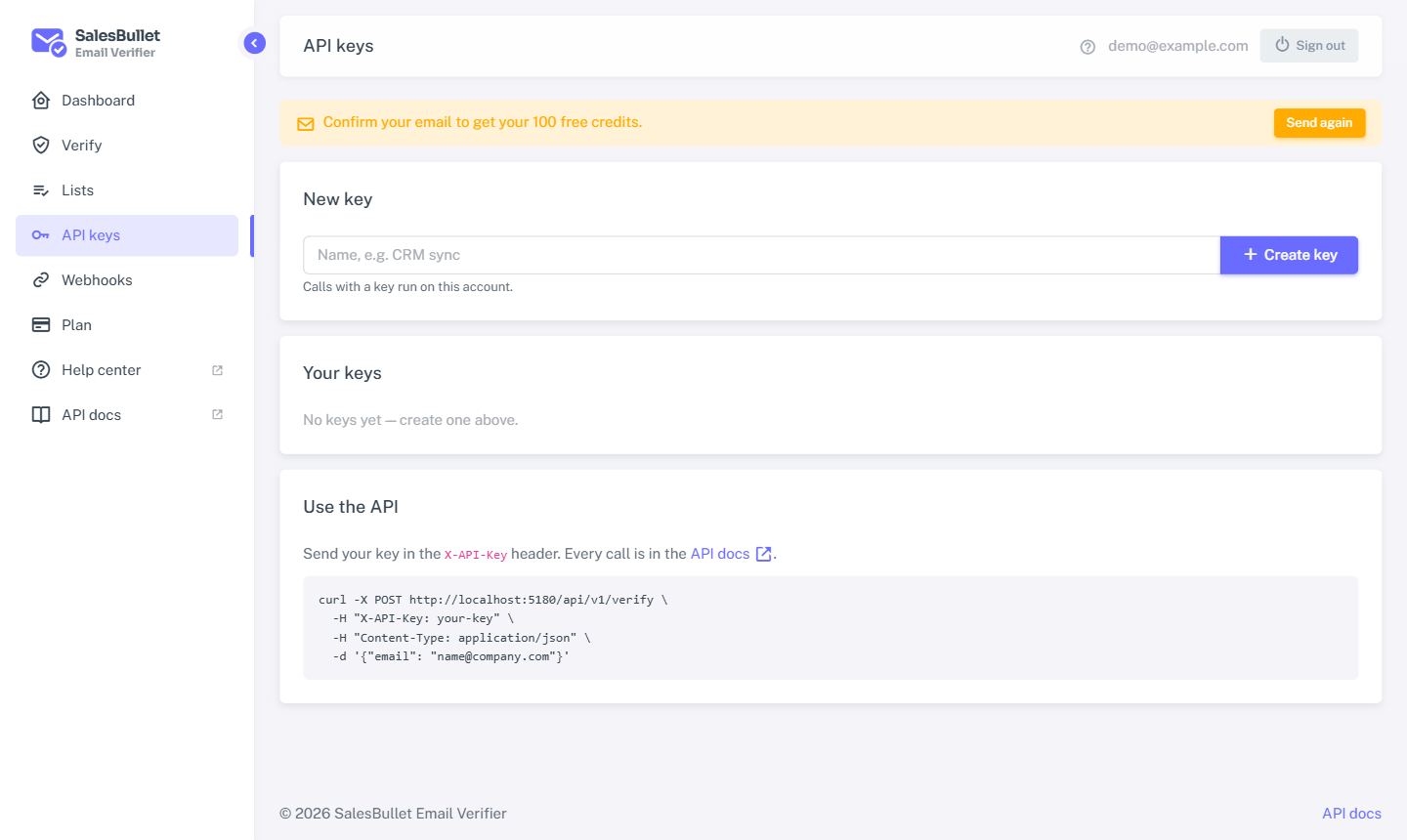
Create a key
- Confirm your email first — keys need a confirmed address.
- Open API keys and select Create key.
- Copy it now. The full key is shown once, right after you make it. We only keep a short prefix, so we can never show it again.
Store the key somewhere safe, like any password. Use a different key per app or script so you can revoke one without touching the others.
Warning
Treat an API key like a password. Anyone who has it can spend your credits. Never put it in front-end code or a public repository.
Manage your keys
The page lists each key by its prefix, when it was created and when it was last used — so you can spot one that's no longer needed.
Select Revoke to switch a key off. Calls with it stop working at once; your other keys keep going.
Use a key
Send it in the X-API-Key header on every request:
curl https://verifier.salesbullet.ai/api/v1/verify \
  -H "X-API-Key: YOUR_API_KEY" \
  -H "Content-Type: application/json" \
  -d '{"email": "someone@example.com"}'
Next: verify with the API.