Webhooks
Get a signed call the moment a list finishes, instead of polling — set a URL, send a test, and check the signature.
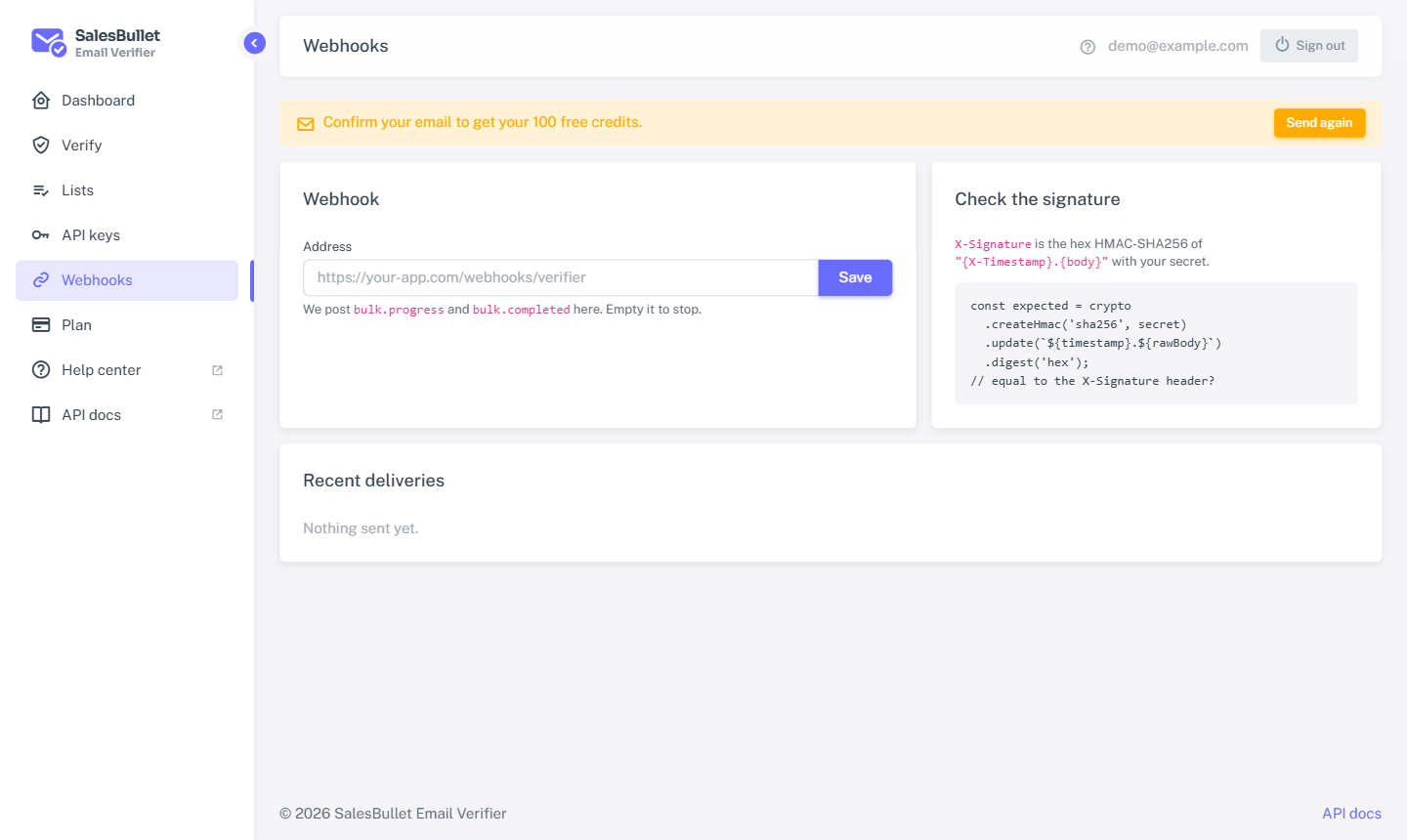
A webhook pushes a list's progress to your own app, so you don't have to poll. When a list finishes, we POST to your
URL — read the results and move on.
Set it up
- Confirm your email first — webhooks need a confirmed address.
- Open Webhooks and enter your URL (a public
https://address) and save. - Copy your signing secret — shown once. Use Renew secret if you ever need a new one (the old one stops working).
- Select Send a test to fire a sample event at your URL, and check it arrives. Recent deliveries are listed below, with their response.
A list created through the API can override this with its own callback_url.
The events
| Event | When |
|---|---|
bulk.progress |
While a list runs, now and then, with how far it's got. |
bulk.completed |
Once a list has ended — your cue to fetch the results. |
Each delivery is a POST with these headers: X-Event (the event name), X-Event-Id, X-Timestamp and X-Signature.
Check the signature
Always verify the signature before you trust a delivery. X-Signature is the hex HMAC-SHA256 of "{X-Timestamp}.{body}"
using your signing secret. Compute it yourself and compare:
import hmac, hashlib

def valid(secret, timestamp, body, signature):
    expected = hmac.new(secret.encode(), f"{timestamp}.{body}".encode(), hashlib.sha256).hexdigest()
    return hmac.compare_digest(expected, signature)
Important
If the signature doesn't match, ignore the request — it didn't come from us. Keep your signing secret private; anyone with it could forge a delivery.
Note
We only call public https:// URLs, and never follow redirects. Point the webhook at an address your server answers directly.