Understanding the results
The four statuses, the reason behind each one, and the flags like disposable, role and catch-all.
Updated 18 October 2026
Every address comes back with a status, a short reason, and some flags. Here's how to read them.
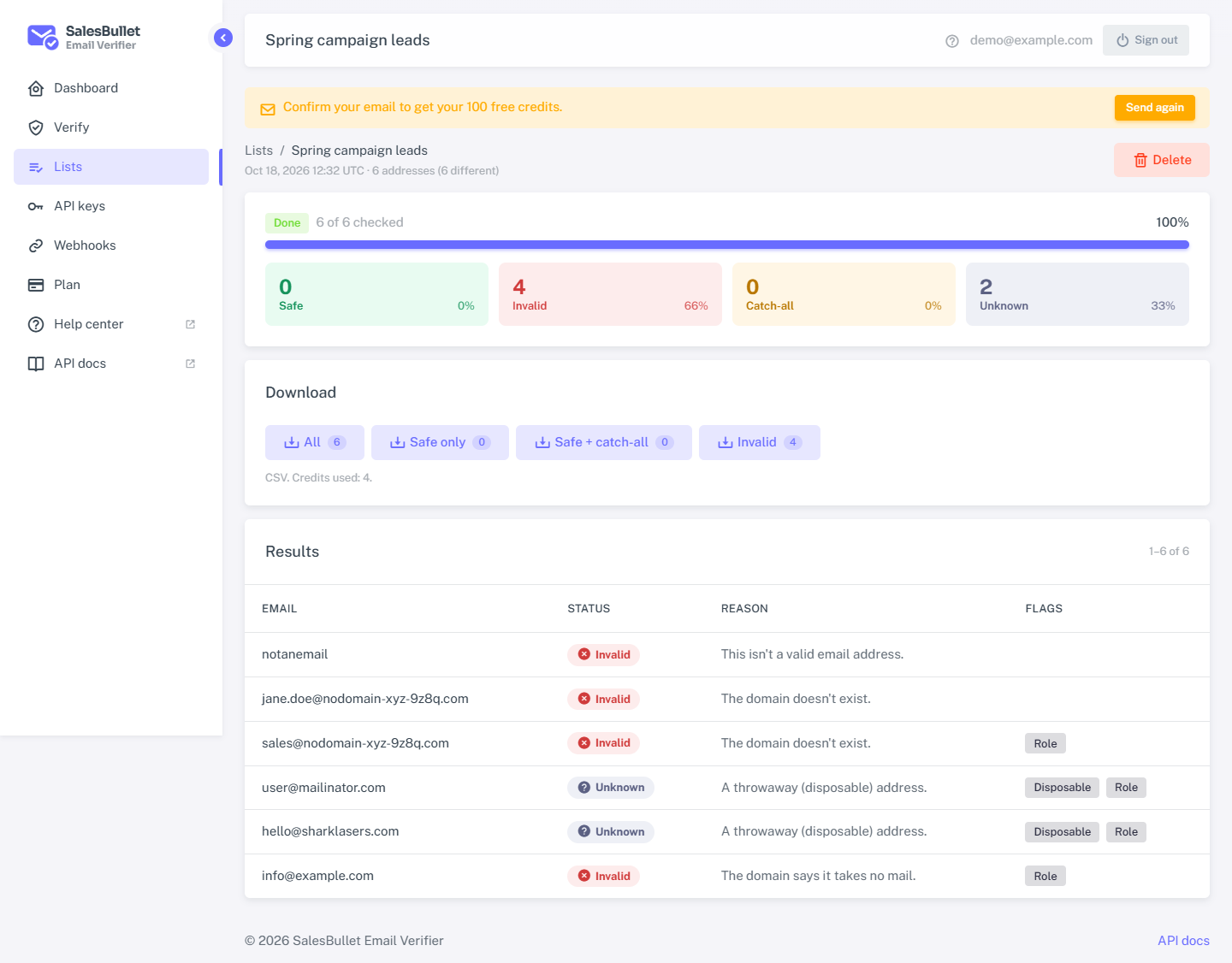
The four statuses
| Status | Safe to send? | What it means |
|---|---|---|
| Safe | Yes | The mailbox exists and the mail server accepts it. |
| Invalid | No | It can't receive mail — bad address, no such domain, or the mailbox doesn't exist. |
| Catch-all | Your call | The domain accepts every address, so this one can't be confirmed on its own. |
| Unknown | Not yet | No sure answer right now. Never charged. Try again later. |
Only safe is a green light. Catch-all means the domain can't tell you apart from a made-up address — some senders accept catch-alls, many don't. Unknown is an honest "we couldn't be sure", never a guess.
Why — the reason
The reason says why you got that status. The common ones:
- Safe: the mail server accepts this address.
- Invalid: this isn't a valid email address · the domain doesn't exist · the domain has no mail server · the mailbox doesn't exist · the mailbox is switched off.
- Catch-all: the domain accepts every address, so this one can't be confirmed.
- Unknown: a throwaway (disposable) address · a full mailbox · the mail server asked to try again later · the mail server refused the check · this provider accepts every address at first · the DNS didn't answer.
The flags
Alongside the status, each address can carry flags you can act on:
- Disposable — a throwaway address (comes back as unknown; best not to send).
- Role — a shared address such as
info@orsupport@. It can still be safe if the mailbox accepts mail. - Free — a free provider such as Gmail or Outlook.com.
- Catch-all — the domain behind it accepts everything.
Note
The verifier never upgrades an uncertain address to safe. Accept-all providers (such as Yahoo) and catch-all domains come back catch-all or unknown on purpose, so a "safe" from us really is safe.