Verify a list
Upload a CSV or TXT file (or paste addresses), let it run in the background, then download the cleaned list.
Lists check many addresses at once. Upload a file or paste them in, and the verifier works through them in the background — you can leave the page and come back.
Start a list
- Open Lists and select New list.
- Upload a file (CSV or TXT) or paste the addresses, one per line.
- Give the list a name and start it.
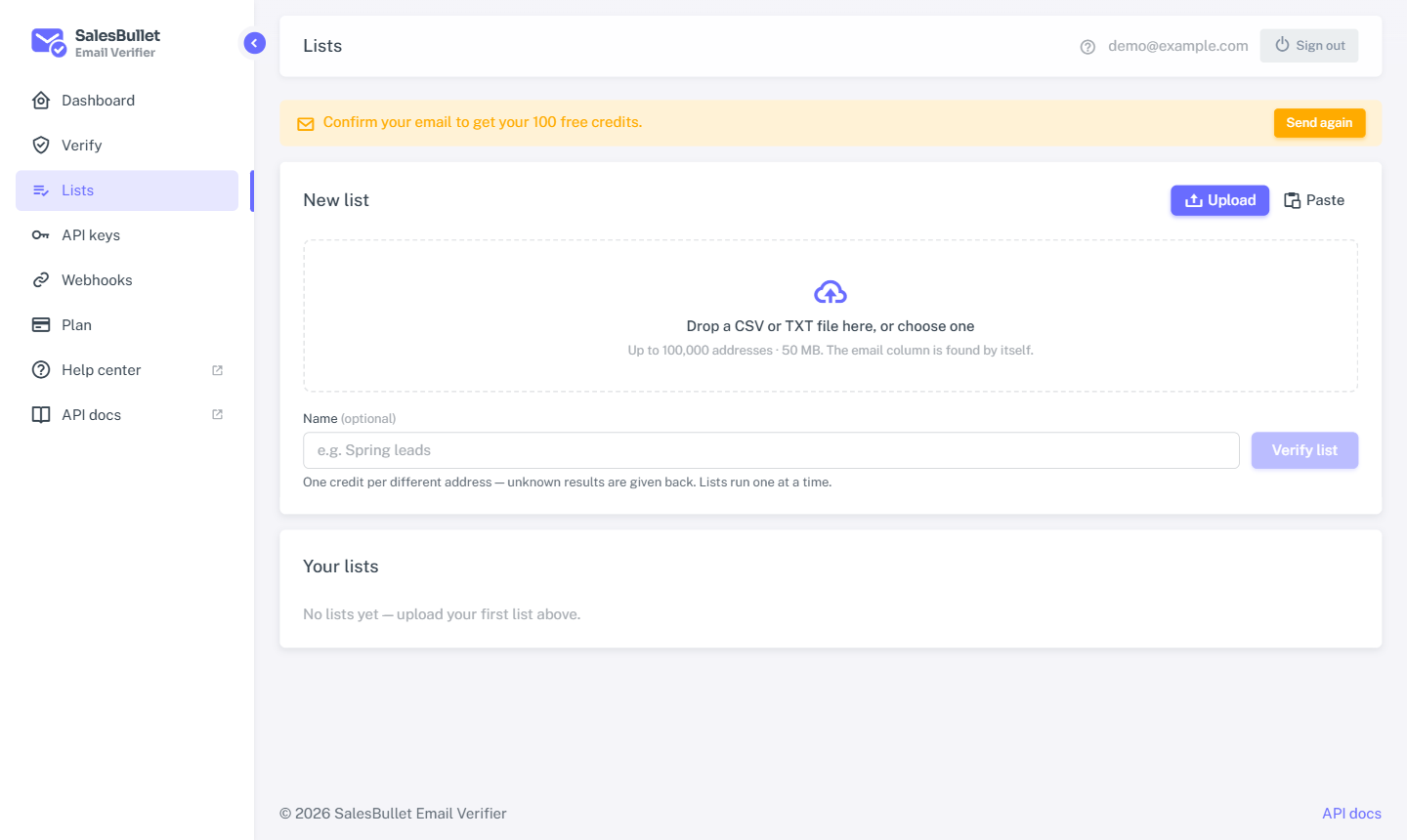
When you upload a CSV, your file's own columns come back with the results, so you keep everything else about each row.
Credits for the whole list are reserved when it starts — one per distinct mailbox. If you don't have enough, the list won't start and nothing is charged. At the end, only definite answers are kept; every unknown is refunded.
Watch it run
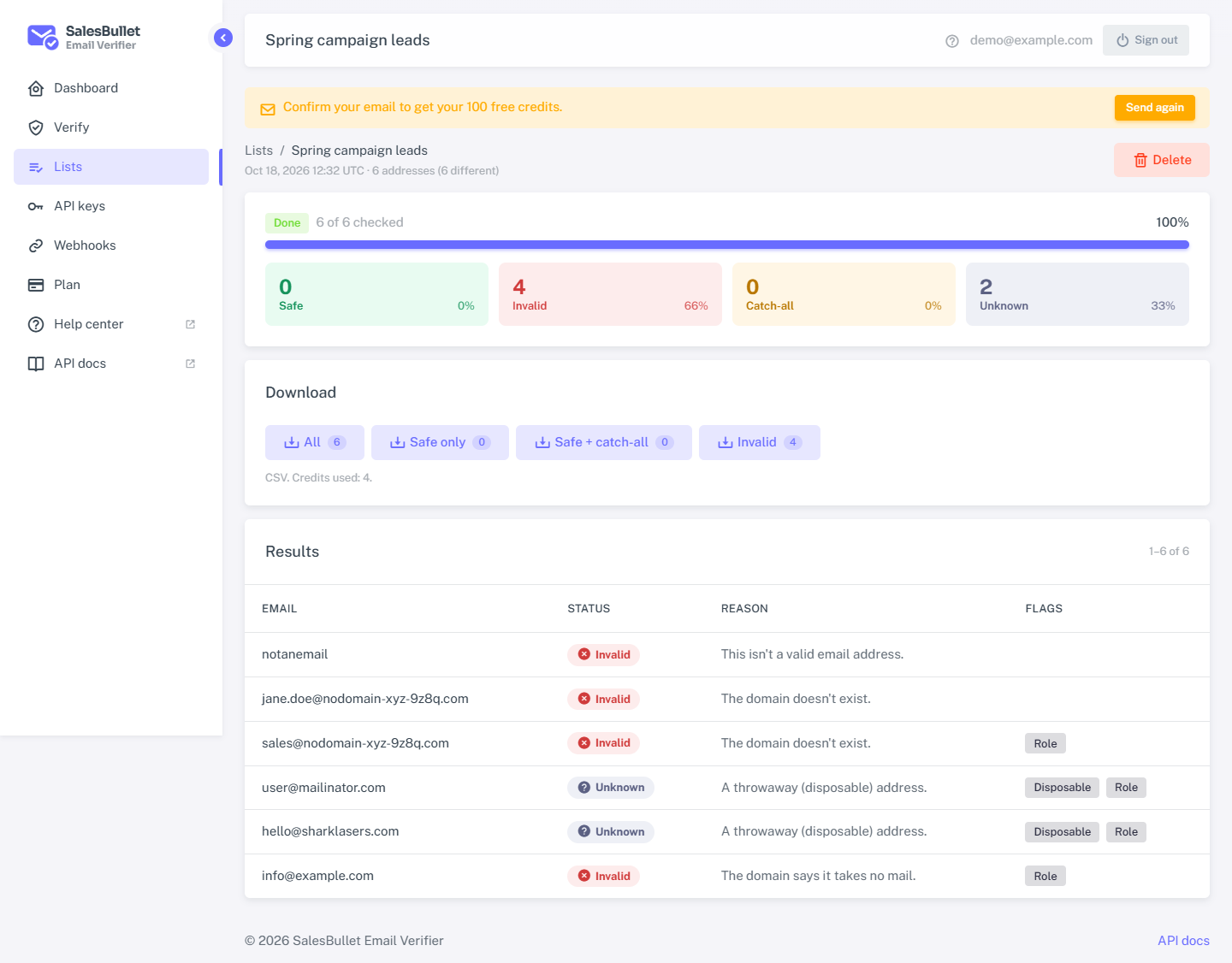
The list's page shows progress live — how many are checked and the results so far. You don't have to wait: close the tab and your list keeps going.
- Cancel a running list to stop it — the credits for whatever's left are refunded.
- Delete a finished list to remove it and its results.
Download the results
Select Download for the results as a CSV. Choose which rows you want:
- All
- Safe only
- Safe and catch-all
- Invalid only
Each row carries its status, the reason, and the flags (disposable, role, free, catch-all). What the results mean
Tip
Want the results sent to your own app automatically? Point a webhook at it, or create lists through the API.